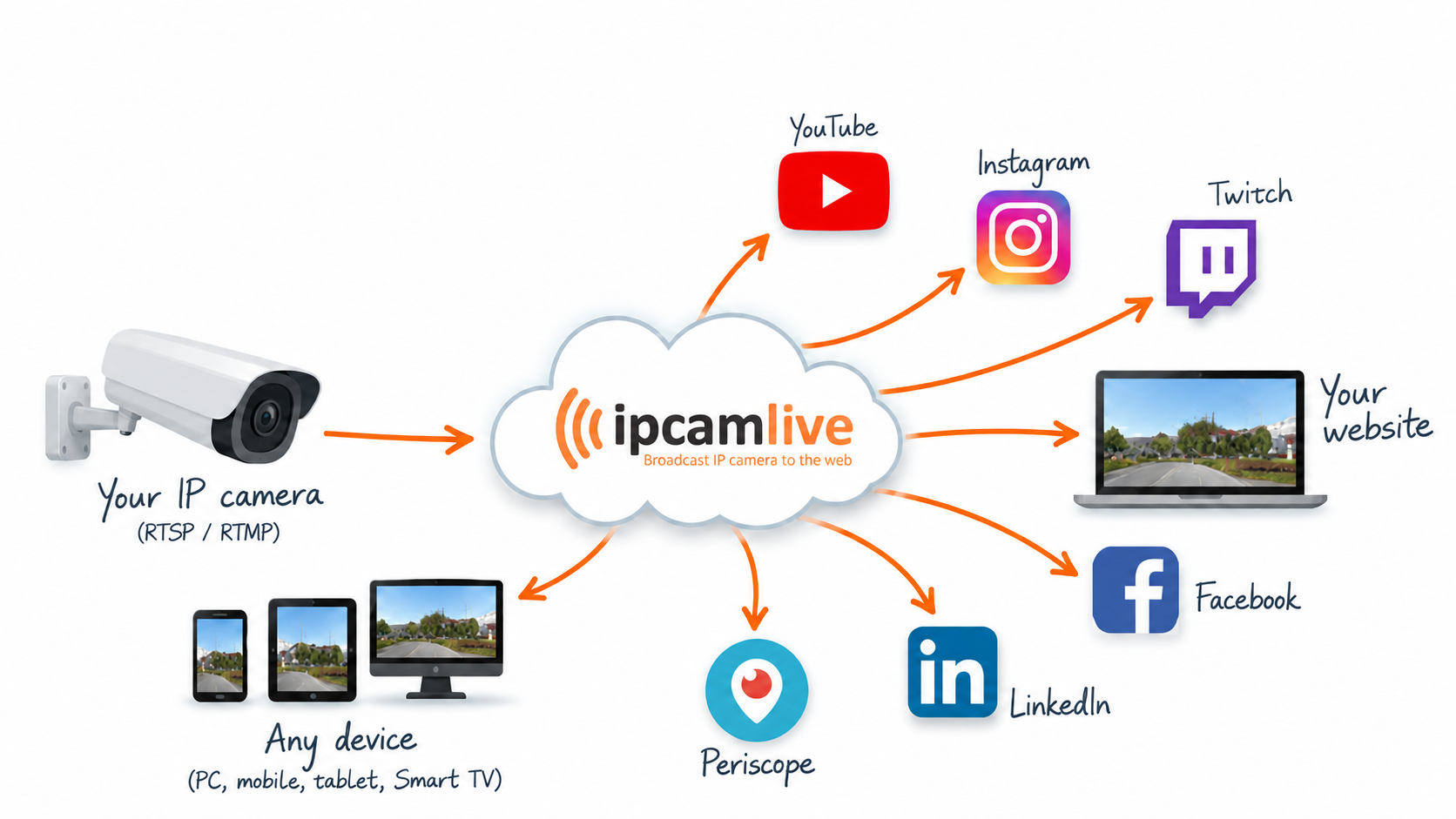
How to Stream an IP Camera Live Stream to YouTube
Convert an IP camera live RTSP stream to RTMP using IPCamLive
How to stream an IP camera live stream to YouTube
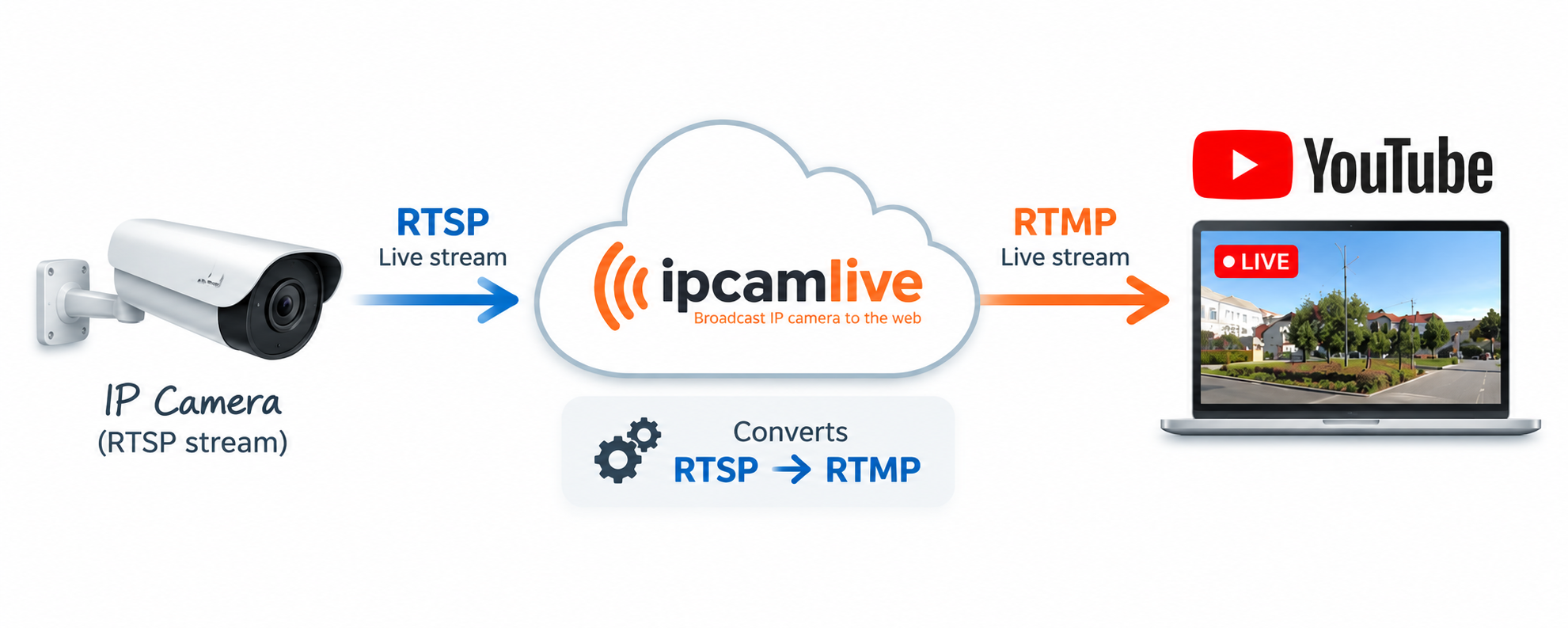
Streaming an IP camera to YouTube usually requires an intermediate server/service because YouTube requires an RTMP stream, while most IP cameras provide an RTSP stream that cannot be sent directly to YouTube.
IPCamLive makes this easy by connecting directly to your IP camera via RTSP and handling the live stream distribution.
Connect and embed live video to your website
IPCamLive supports direct IP camera connections, so there is no need to run dedicated streaming software on a computer.
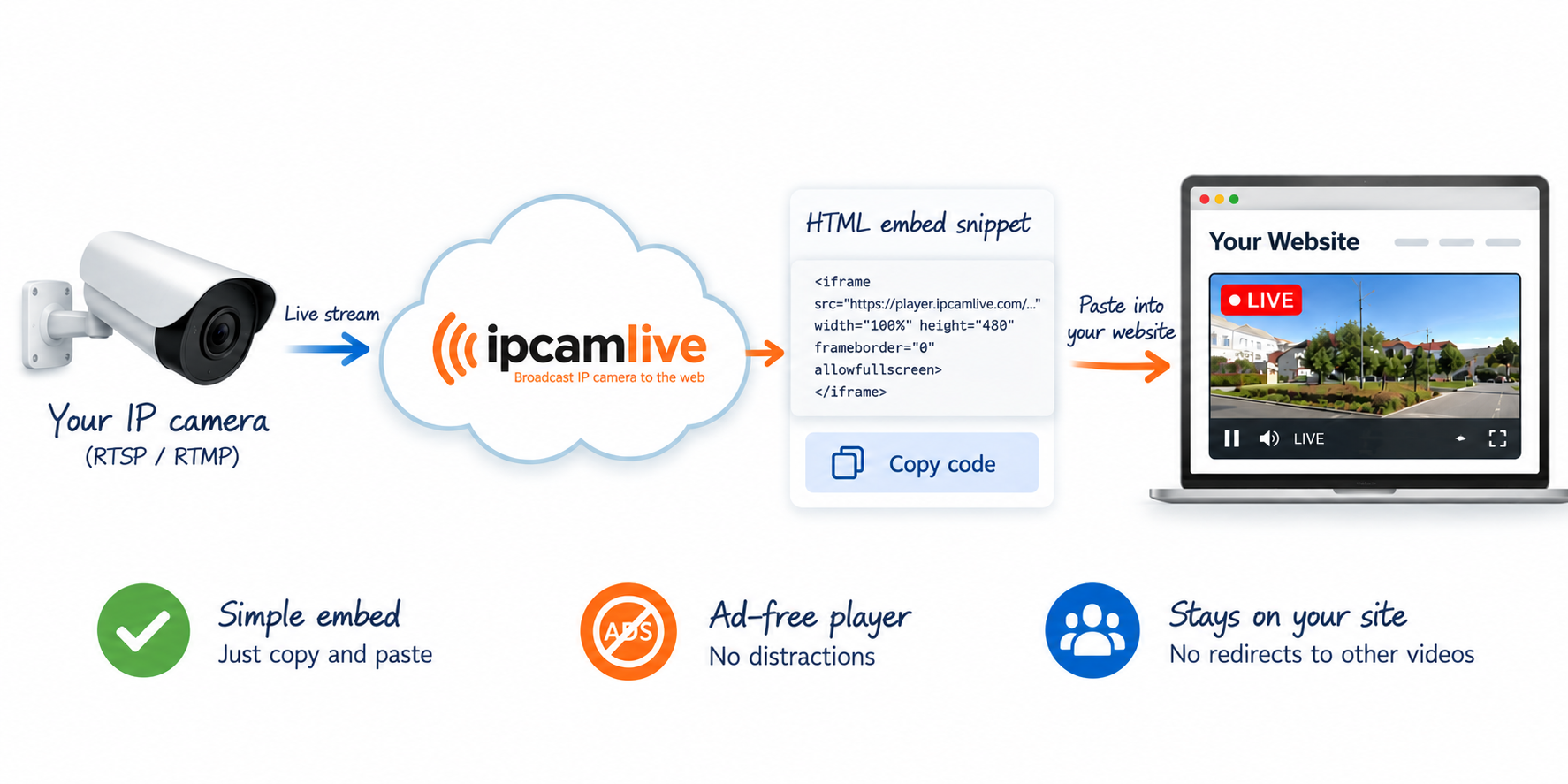
Once your camera is connected, IPCamLive provides an HTML embed snippet. Simply copy and paste it into your website to display the live video.
The embedded player contains no advertisements and does not redirect your visitors to other videos or websites, helping you keep viewers on your own page.
Stream protection and advanced features
IPCamLive offers several additional features to enhance your live camera experience. Automatic timelapse generation can create spectacular timelapse videos from your camera footage, while the Overlay Panel lets you display interactive content directly over the live video.
Your stream can also be protected against unauthorized access. Domain Lock restricts playback to your authorized website only, while PIN Lock allows you to control who can view your live stream.

Stream your IP camera to YouTube and any device
For real-time streaming applications, IPCamLive deploys state-of-the-art video technologies to meet its IP camera streaming users' demands.
IPCamLive can also forward your IP camera stream directly to YouTube.
The process is simple: IP Camera → IPCamLive → YouTube
Your camera sends its RTSP stream to IPCamLive, which then converts it to RTMP and forwards the video to YouTube. At the same time, you can embed the live stream directly on your own website.
This gives you the best of both worlds: reach a larger audience through YouTube while maintaining a professional, ad-free and protected live stream on your own website.